Food and labor costs
Restaurant labor cost: plan coverage, then compare actuals
A labor percentage is useful only when its cost, sales and time window mean the same thing. Plan the work each role must cover, price the schedule with complete inputs, and compare it with recorded hours after service.
Define the cost before choosing a labor target
Write down what labor cost includes: hourly wages, the allocation of salaried work, employer costs and any other supported inputs. Then define sales consistently, including how your reports handle discounts, refunds, tax and the restaurant’s trading day. Comparing two differently defined percentages can create a false improvement.
There is no single labor percentage that is right for every concept and every hour. A restaurant preparing food before opening has work to do before it has sales. A service requiring more table attention may need different coverage from a counter serving a narrow menu. Set a target that fits the work and review it alongside service quality.
Jooule separates planned and recorded labor cost and respects wage-viewing permissions. Configured rates, their effective dates and employer costs feed the calculation. Missing rates remain unknown; a tidy total should never persuade a manager that unpriced work is free.
Worked example: budget and actuals can tell different stories
Suppose a hypothetical dinner shift has eight employees scheduled for five hours each at an average illustrative wage of $18 per hour. That is 40 labor hours and $720 in base wages. If the example adds employer costs equal to 12% of those wages, planned labor cost is $806.40. Against $3,200 of projected sales, the planned share is 25.2%. These assumptions are for arithmetic, not a wage recommendation or tax rate.
Now suppose actual work was 44 hours at the same average wage and cost assumption, while recorded sales were $2,800. Cost becomes $887.04, or 31.68% of sales. Two things changed: more work was recorded and fewer sales arrived. Reducing the discussion to “staff cost too much” hides the demand shortfall and any operational reason for the extra hours.
Sales per labor hour also changes from $80 in the plan to about $63.64 in the example actuals. Investigate the cause before cutting a role: delayed preparation, a large order arriving at once, training, a late delivery or a missed clock-out need different responses.
Schedule people against work by role and time
Start with the minimum work that has to happen: opening preparation, receiving, the first guests, peak production, packing and cleaning. Plot those needs by role and time window. A total headcount can look sufficient while the only trained packer is unavailable during a pickup rush.
Use comparable past weekdays as a starting point, then review what is already booked. A future order can require preparation before its promised time; a group booking can concentrate service rather than increase all-day work evenly. Add management judgment for events or changes that history cannot explain.
Jooule’s coverage view combines configured role rules, comparable weekday demand and recorded future orders with the draft roster. It exposes gaps and the historical basis. This is planning guidance, not a guarantee of seasonal or weather-aware forecasts, and a new restaurant needs an explicit plan for sparse history.
Review the draft before employees rely on it
Check availability, approved leave, role suitability and overlaps before publishing. If a shift changes after publication, use the approval workflow and ensure the final schedule is visible to the people involved. A message saying someone will cover is not enough if the recorded assignment still names someone else.
Inspect missing pay inputs and unusually long planned shifts with the person responsible for payroll rules. Keep the coverage decision separate from permission to view everyone’s wages: a shift lead can need to know which roles are uncovered without needing access to individual compensation.
- Coverage is checked at peak intervals, not only by daily headcount.
- Unavailable staff and leave have been reviewed.
- The budget identifies incomplete inputs.
- Late changes have an approver and a confirmed assignee.
- Employees can find the published version.
Use live estimates, then reconcile the real shift
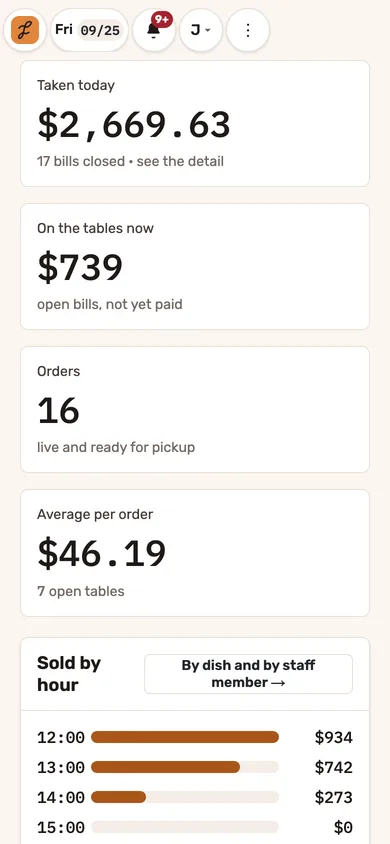
During service, compare current sales and labor with the plan, then look at unfinished work before moving staff. Jooule can show labor as a share of sales, sales per labor hour and a remaining-day estimate based on the schedule and comparable history. An estimate needs its assumptions and stale-shift warnings read alongside the number.
Afterward, review missing punches, unusual durations and employee correction requests. Preserve the difference between planned work and hours actually recorded. The U.S. Department of Labor identifies hours and wage information among the required records for covered workers; use its guidance and your qualified payroll adviser for the rules that apply to your operation.
Jooule’s labor calculations and supported attendance exports help prepare a review. They are not payroll filing, payslip production or salary transfer. Before relying on an export, confirm the country configuration, period, fields and receiving payroll process.
Test the planning loop in a software demo
Ask to build a small schedule with one incomplete wage, one unavailable employee and one booked order. A useful demo shows how the manager reaches a decision, then how the employee sees the result.
- Set the sales and labor-cost definitions for the example period.
- Show a coverage gap by role and time.
- Show what happens when a scheduled worker has no rate.
- Correct the roster and inspect cost before publishing.
- Approve a shift change and verify the final employee view.
- Compare a sample actual shift with its plan and explain any incomplete data.