AI Phone Agent

Welcome callers with your restaurant’s menu.

A phone agent configured around your greeting, language, menu and service preferences. Arrange a controlled rollout and verify your phone line, languages, ordering and payment flow before relying on it during service.

From a conversation to an order your team can check

The agent uses your restaurant’s menu and choices, gathers order details and can make a relevant, brief suggestion. Payment links and a handoff to staff depend on the connections configured for your restaurant.

What should we test before enabling restaurant phone answering?

Start with a simple order, then try a modifier change, a sold-out dish, a request for another supported language and a request for a staff member. With a supported payment connection, test the link and payment confirmation too. Compare the conversation with the recorded order, including quantities, prices and pickup time, and resolve discrepancies before expanding use.

Check payment options and connection requirements

Questions we hear

Does the phone agent use our menu and prices?

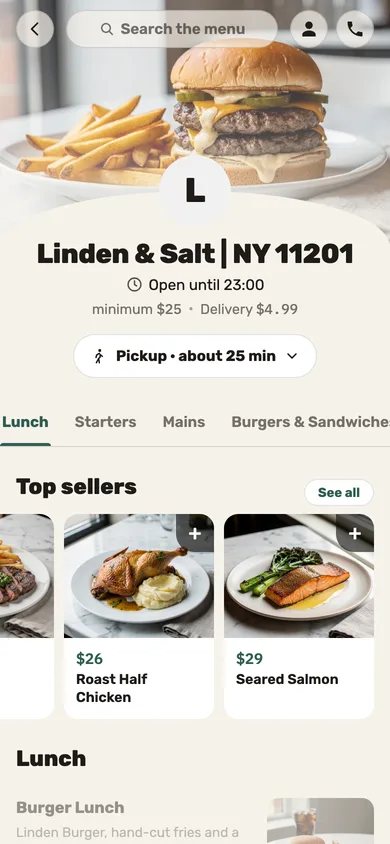
It receives the restaurant’s menu and choices through Jooule ordering tools. Setup checks dishes, modifiers, availability, prices and situations that need staff help, rather than assuming every question will be answered correctly.

What if a caller asks to speak another language?

Calls start in the restaurant’s configured language. When a caller requests another supported language, the agent can switch. Confirm which languages and voices are available for your line and test their quality during setup.

Can we choose the greeting and service style?

Yes. Restaurant settings include the greeting, language and service preferences. An optional suggestion should be brief and relevant to the order; rehearse the wording and sensitive scenarios before activation.

How does the customer pay?

A supported payment connection can provide a payment link. Offering that flow depends on the restaurant’s provider and configuration. Verify the order, link and payment confirmation across the full workflow before activation.

Can a caller speak to a person?

Configure and test the staff handoff route and phone destination. Availability depends on the telephony connection and settings; rehearse what happens when staff cannot answer as well.

How is the phone agent enabled?

Rollout depends on the phone line, service providers, languages and payment setup. Start with test scenarios and controlled use, with a clear way to review orders and handle situations needing a person. These checks help find and resolve issues; they do not guarantee error-free calls.

What you can do

Explore all features

AI phone ordering

The phone agent uses the restaurant’s menu to build orders, check earlier orders and offer supported payment or staff handoff options.

Requires telephone and AI setup. Ordering, delivery, payment links and staff transfer depend on the restaurant’s enabled services; availability is confirmed per restaurant.

Check availability

Your restaurant’s voice

Choose a greeting and tone, allow a requested switch to a supported language and control whether the agent offers one extra suggestion.

Only configured, supported languages are offered. The restaurant’s menu, permissions and payment policy stay the same when the caller changes language.

Check availability

Let’s talk about your restaurant’s next step.

Improve today’s operation, plan an opening or prepare for another location. Tell us what you need, and explore how our service and technology can help.