
Ask about my shifts and hours
Employees can ask Danny about their own shifts, recorded hours and tips.
Requires an enabled assistant service. Employees receive their own records, not coworkers’ personal reports.
Check availabilityJooule Team
Jooule Team connects restaurant employee scheduling, availability, time-off requests and team communication. Staff see their own shifts, hours and tips; managers publish the schedule and handle approvals.
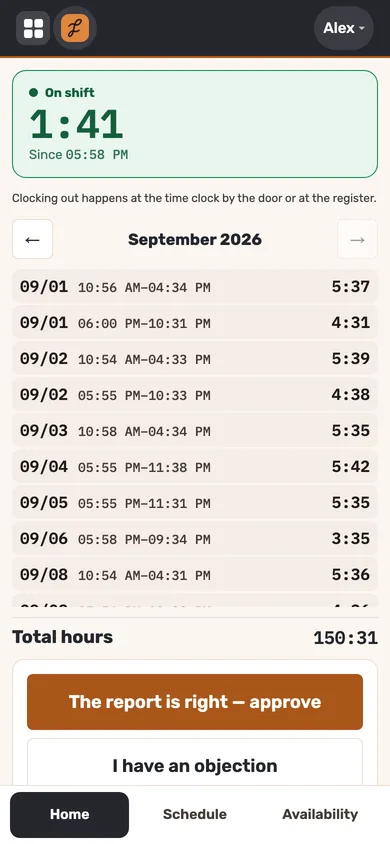
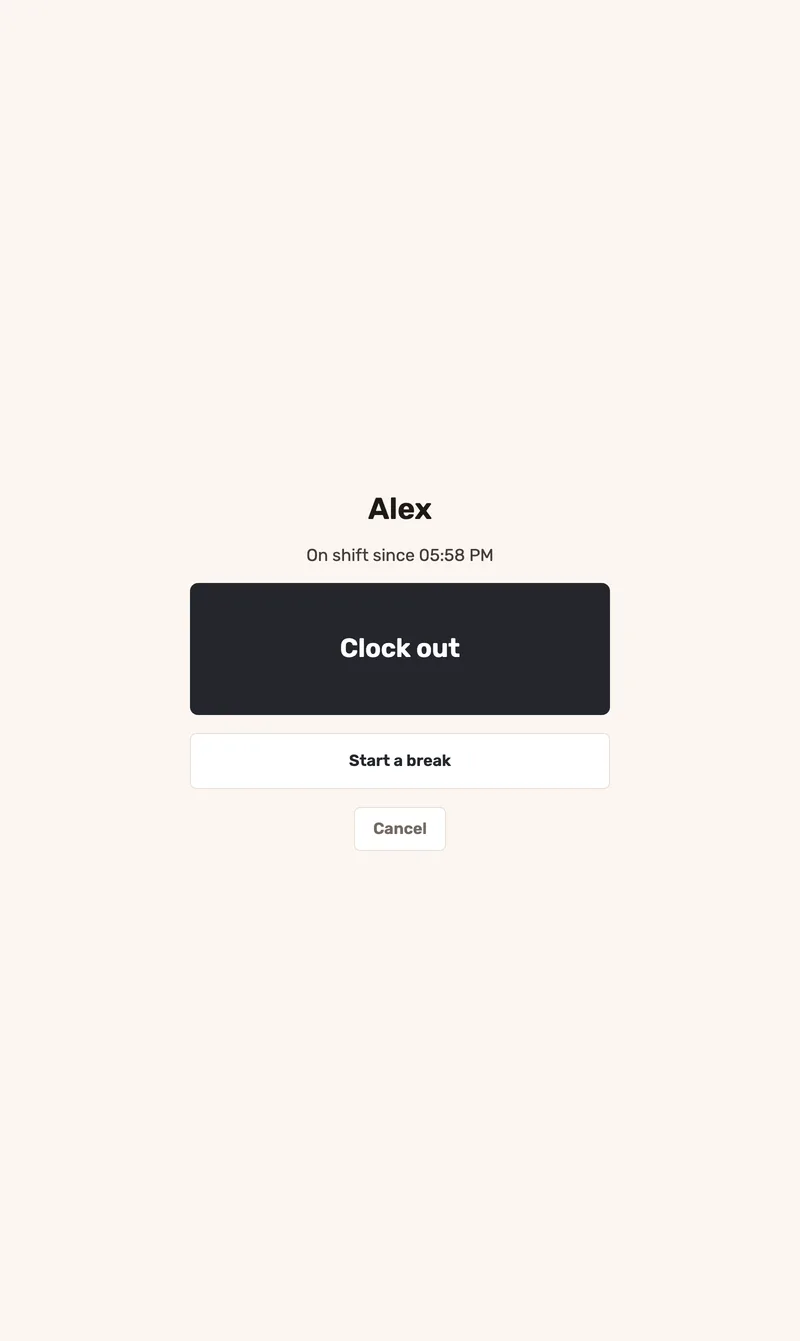
Staff enter a PIN and tap once to clock in, out or return from a break. Time comes from Jooule’s server, so device clocks do not affect the record. Staff can confirm their monthly hours or submit a correction request.
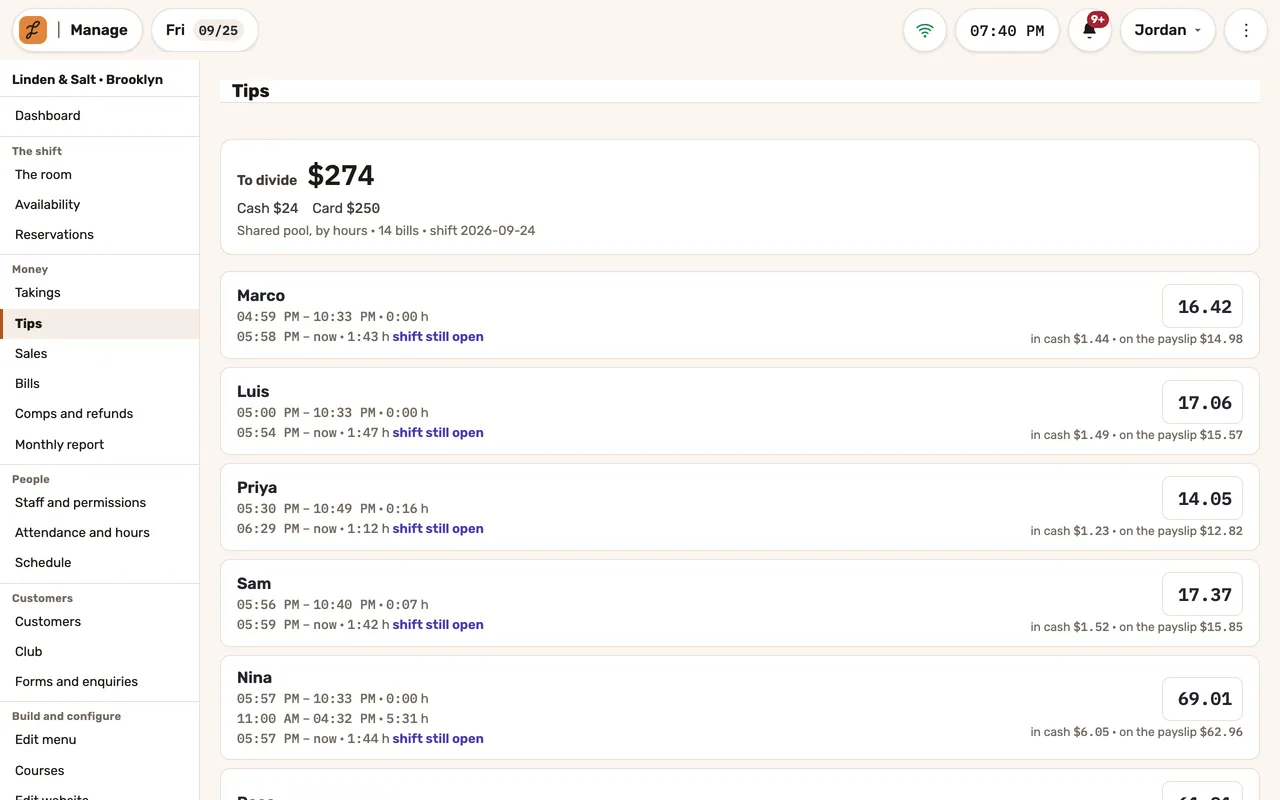
Choose a split by hours, equally or by tables. With table-based splits, tips go equally to the servers assigned to that table; unassigned tables contribute to the hourly pool. Each person’s share shows the cash and payroll portions.
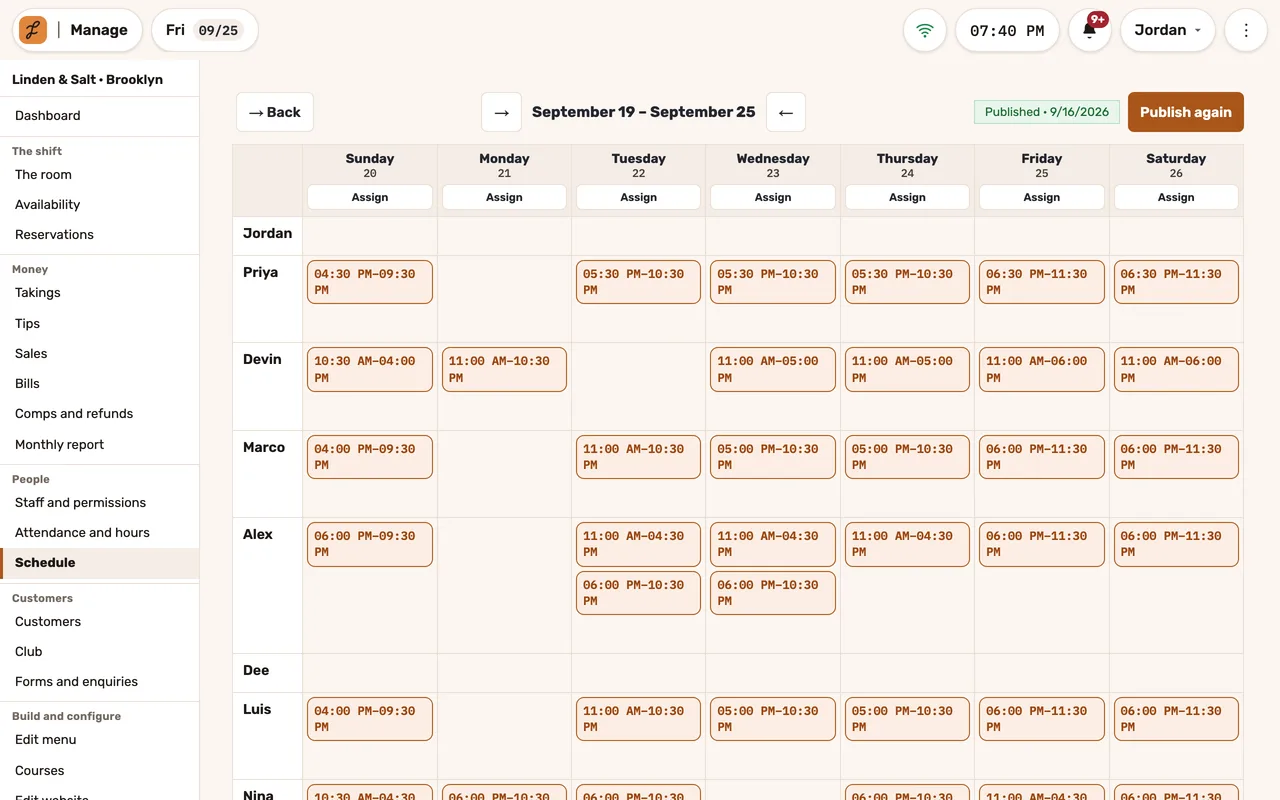
Review availability and approved requests, assign the week by role, then publish the shifts staff should see. With Labor Cost enabled, review planned cost and coverage before publication.
A tablet by the door: a PIN and one button. Seconds after the punch it’s back to the keypad, with nobody left signed in.
On each employee’s phone: their shifts, their availability by week and by date, and their month to confirm or dispute. And punching, if you allow it.
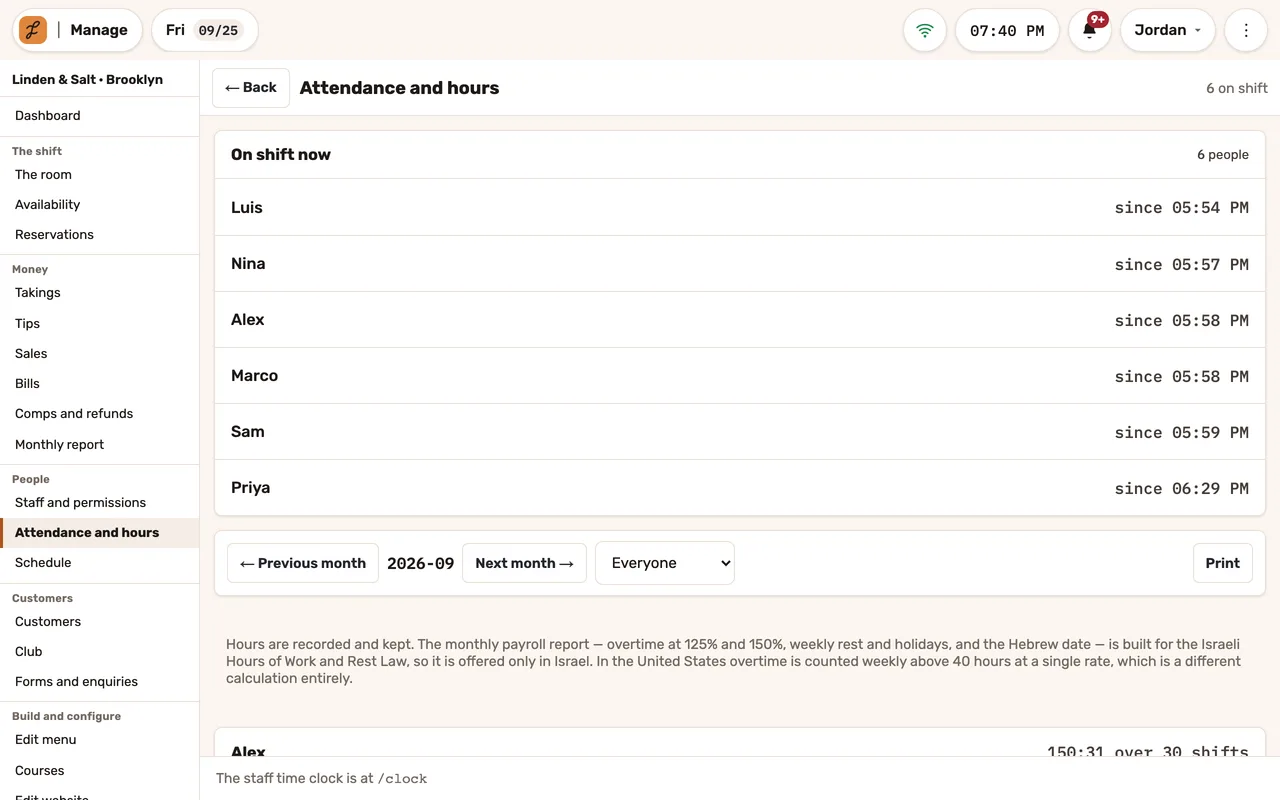
Who’s on shift right now, and each person’s hours and shifts, month by month.
Sign in to Jooule Team and choose a workplace you have been invited to join. Open your own information, shifts, hours and conversations for that workplace. The restaurant manages invitations and can revoke a device’s access.
Request time off, correct recorded hours or report a missing shift. Offer a shift handover or volunteer for an open shift; the manager reviews eligibility and availability, then the approved change reaches the schedule.
Use team groups, direct messages and announcements with read acknowledgments. When translation is configured, read a translation alongside the original message. Conversation access stays restricted, and notification settings help limit off-shift interruptions.
The restaurant invites the employee to their workplace through the Team web interface. We confirm the available installation option for their device during setup.
Attendance records hours. With Labor Cost enabled, Jooule calculates configured pay and employer costs using applicable settings and permissions. It does not file payroll, issue payslips or send salary payments; review the export with your payroll professional.
Phone punches are off until you turn them on. Then you can require them to come from the restaurant’s own internet, or only record, beside each punch, whether it did. No GPS, no fingerprints.
No. Each person gets one line and one share for all their shifts since the last split, and the split is filed under the night it closes.
Employees can ask Danny about their own shifts, recorded hours and tips.
Requires an enabled assistant service. Employees receive their own records, not coworkers’ personal reports.
Check availabilityRead supported translations alongside original messages and control off-shift notifications.
Translation requires an enabled AI service; the original remains available if a translation is delayed or unavailable.
Check availabilityEmployees can offer a shift or volunteer for an opening; managers approve the change before the schedule is updated.
Use branch groups and private messages, share photos and ask staff to acknowledge important announcements.
Managers can moderate permitted branch spaces, not read everyone’s private conversations.
Invite staff to their workplace, give them their schedule and hours on their phone, and manage connected devices.
Access and installation options are confirmed during setup. This listing does not promise availability in any app store.
Check availabilityEmployees request time off or corrections to recorded hours; managers review and decide in the same workflow.
Review recorded hours, close the monthly record and export supported attendance information for payroll preparation.
Country-specific rules and export scope vary. The export supports payroll preparation, not payment or filing of payroll.
Build the week by role, see availability and conflicts, and publish the schedule when it is ready.
Record work and breaks with server timestamps, then let employees review their monthly hours.
Phone clock-ins must be enabled; the restaurant may require its own network. This feature does not use GPS or fingerprints.
Split tips by hours, equally or by tables, with each person’s cash and payroll portions shown.
Improve today’s operation, plan an opening or prepare for another location. Tell us what you need, and explore how our service and technology can help.